Main App Elements
Main app elements
Main View: Message feed
The main view shows the latest prepared RunTheCloud messages in a continuously updated feed. The feed combines Microsoft 365 updates and selected legal or regulatory content that has been reviewed, summarized, categorized, and enriched with recommendations by the RunTheCloud team.

Drill down with views, filter, search and status pivot
Users can narrow down the feed by using views, filters, search, and status pivots. This helps them focus on messages relevant to their role, Microsoft 365 services, recommendation level, or internal work status.
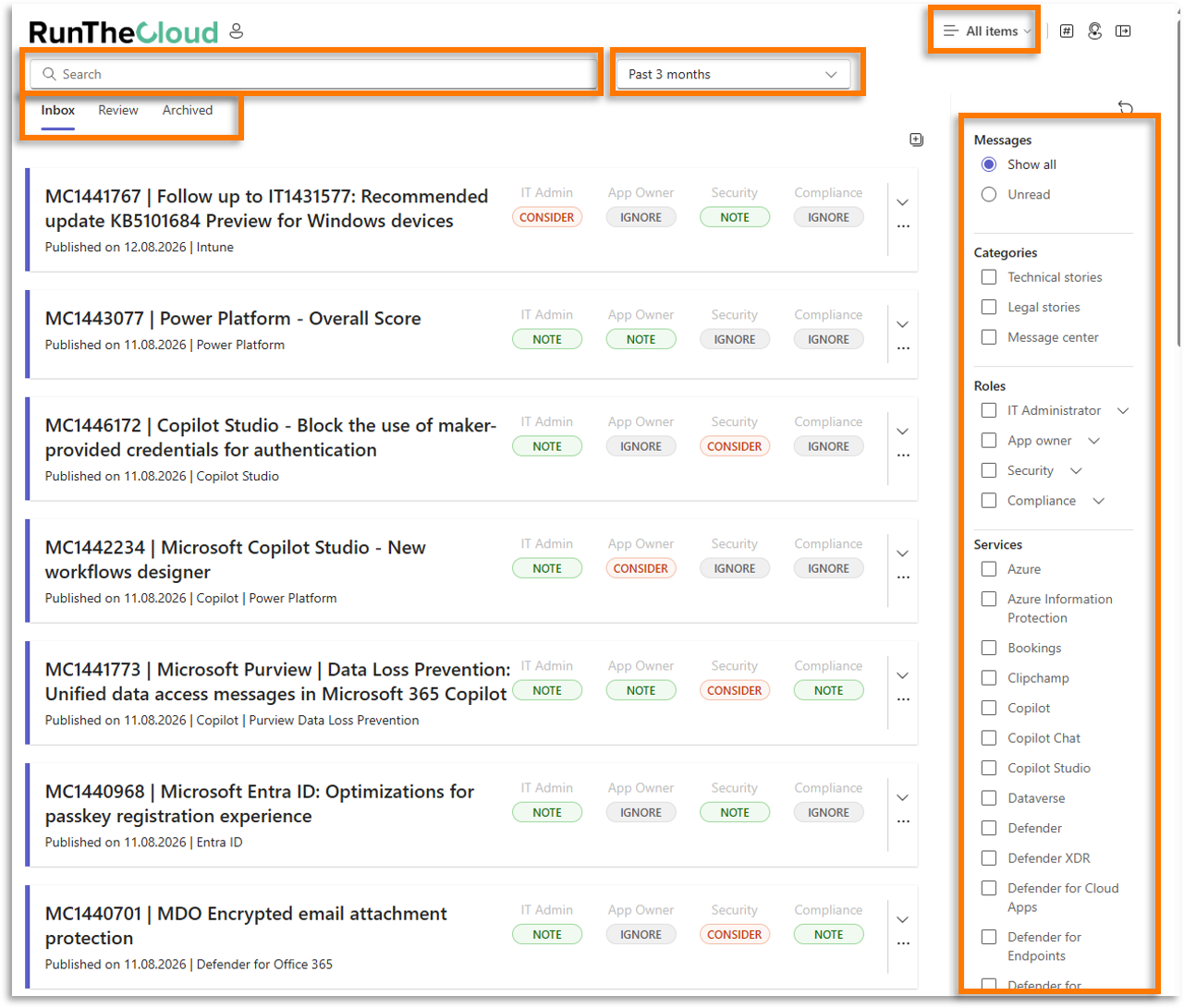
The app is designed to reduce time spent sorting through irrelevant updates. Individual message cards visualize whether a message can be ignored, should be noted, needs further consideration, or requires action. By using filters and view settings according to the user’s role and priorities, the irrelevant or non-critical messages can be hidden.
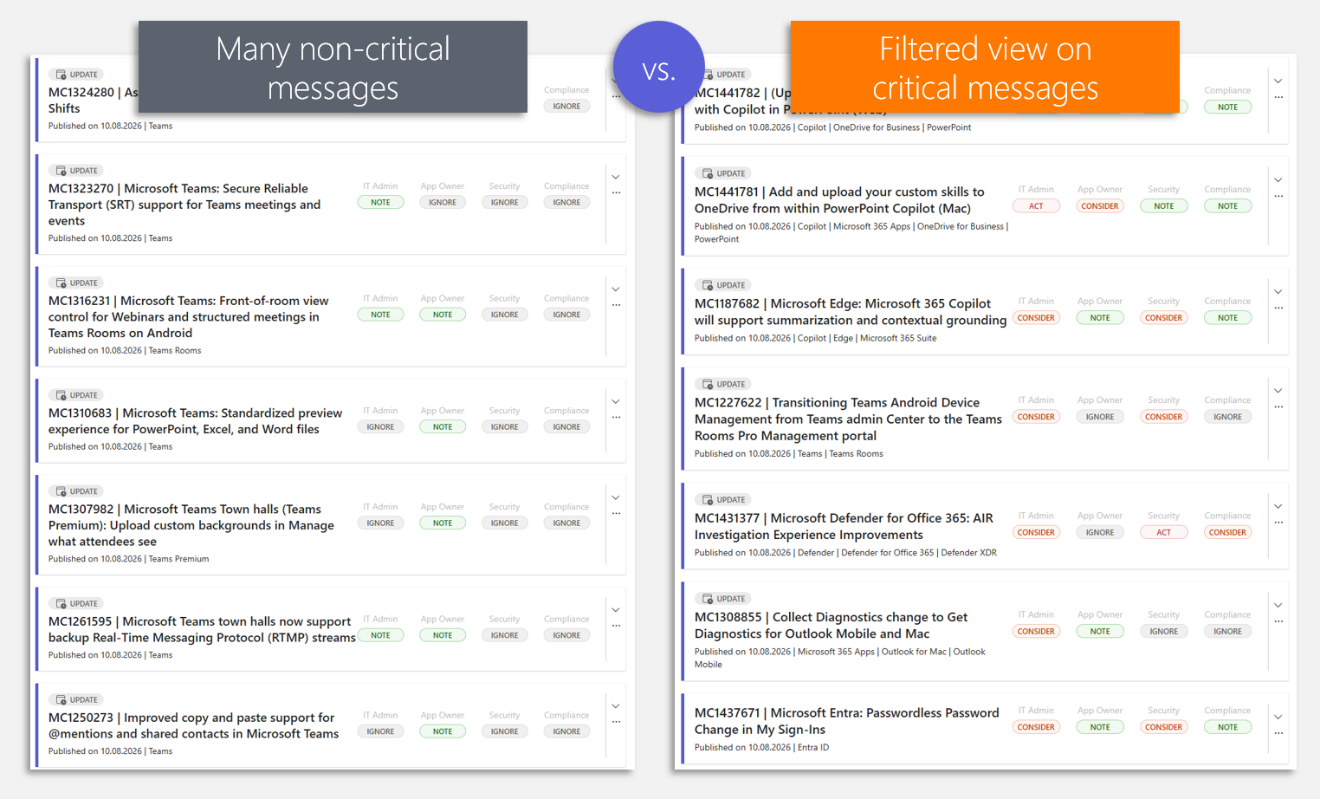
Message card overview
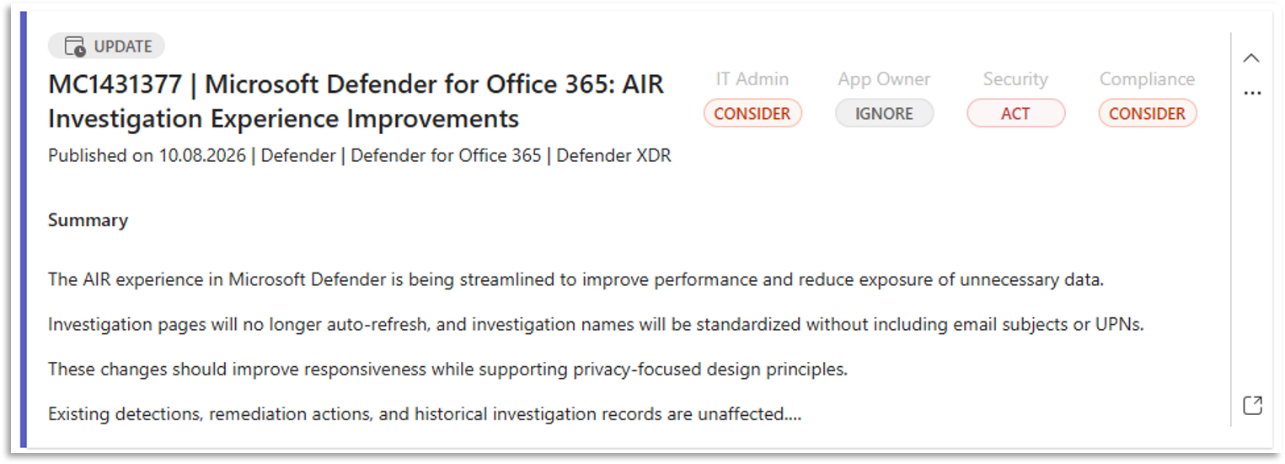
Each message card gives users a quick overview of the most important information: title, Microsoft service or source, recommendation level by target role, and – in the preview – a short summary.

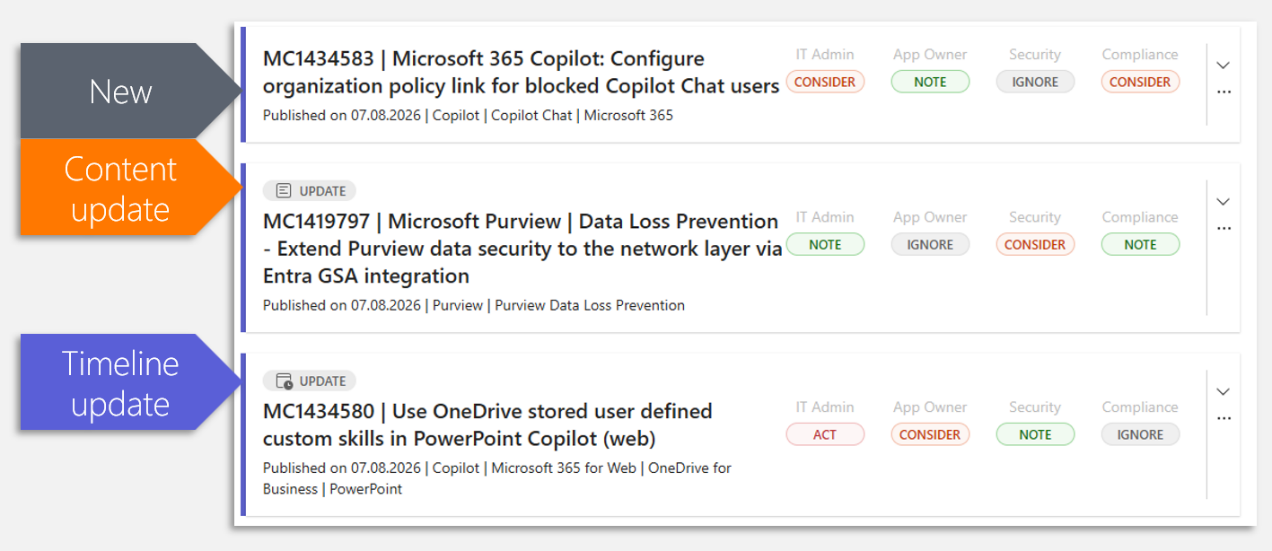
Messages are often updated by Microsoft, which is also highlighted with a tag: either because the content or timeline has changed.
Message card content details
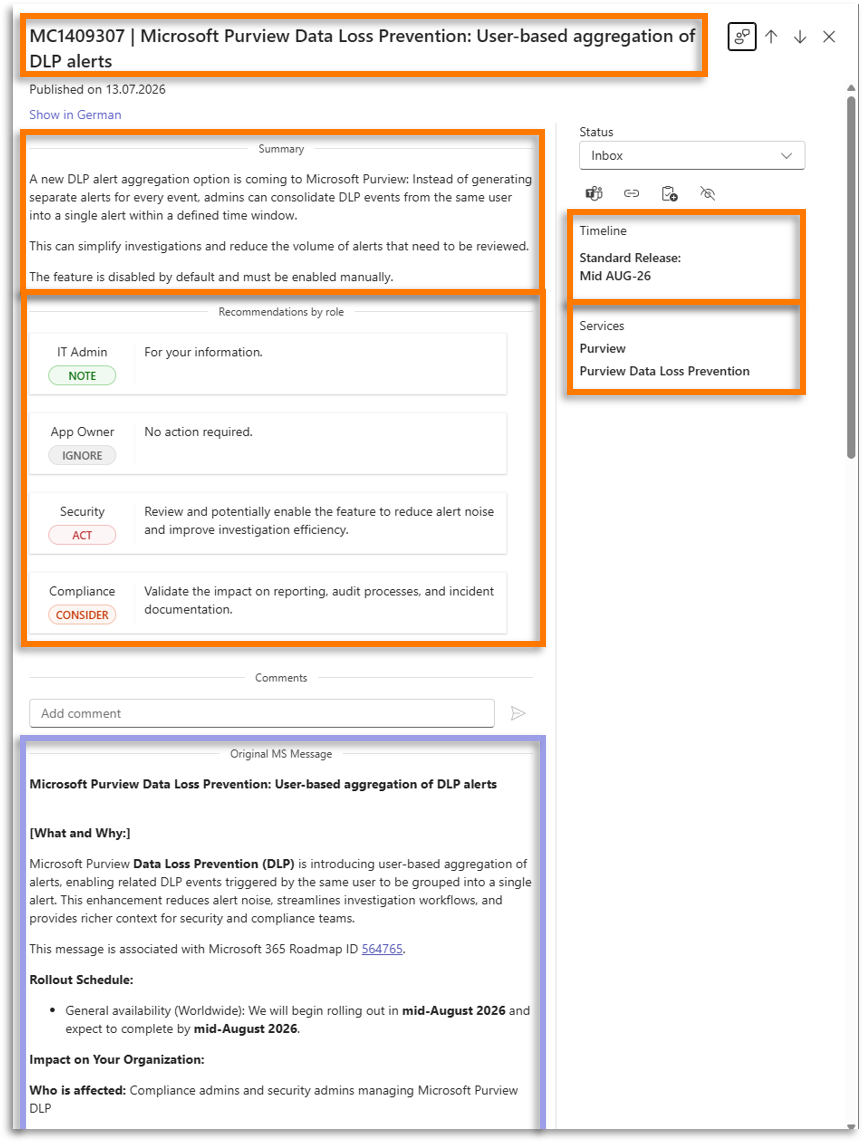
Opening a message shows the full prepared content, including the summary, assessment, recommendations, affected roles, service information, timeline details, and collaboration options.
In the following screenshot, the key content elements of an exemplary message are highlighted:
Title
The message title also contains the message ID:
- Messages from the Microsoft 365 Message Center start with “MC”
- Messages from other, compliance-related sources (e.g. Trust Center) start with “LC”
- Messages from other, technology-related sources (e.g. Conference reports) start with “MO”
Summary
The summary translates complex Microsoft, legal, or regulatory information into understandable core statements. It gives users a quick overview of what is changing, who may be affected, and why the message matters. It also contains URLs to relevant sources of the message.
RunTheCloud recommendations by role
RunTheCloud categorizes messages according to four generic roles that each organization has to consider. These roles are applicable to large or small organizations:
- IT Admins focus on Microsoft 365 operations and technical implementation.
- App Owners focus on the user experience of M365 apps and are responsible for adoption and training
- Security teams focus on security-relevant functions, threats, and hardening measures.
- Compliance role focuses on the legal, regulatory, contractual, and data-protection implications.
RunTheCloud recommendation levels
RunTheCloud publishes clear recommendation levels for each of the four above-mentioned roles. This allows users to prioritize the message:
- IGNORE means the message has no relevance for the role.
- NOTE means the message is relevant for the role and may be interesting but is essentially “nice-to-know" and requires no action.
- CONSIDER means action is recommended depending on the organization’s strategy, configuration, requirements, or risk appetite. CONSIDER recommendations contain specific instructions for next steps.
- ACT means action is necessary because of a breaking change, a service deprecation, a critical update etc. ACT recommendations contain specific instructions for next steps.
Timeline information
Timeline information shows when a change is expected to roll out. This supports planning and prioritization.
Original Microsoft message
The original Microsoft message, as it is published in the Message center, is shown below. Embedded screenshots can be opened for better readability.