Operational Setup
Setting up the Teams App
App installation in tenant
The RunTheCloud app is available in the Teams app store, and its installation depends on the app installation policy defined in the Teams admin center.
Admin consent and required setup
After installation, the RunTheCloudDashboard app registration is created in Entra ID. A Global Administrator can review and approve the requested permissions in Entra ID and in the Teams Admin Center.
Set up a Teams workspace
RunTheCloud is used inside Microsoft Teams. Before adding the app, decide which team and channel should host the RunTheCloud tab and which users should collaborate on the RunTheCloud content.
Add the RunTheCloud app as a Teams tab
The app can be installed in the customer tenant and added as a Teams tab in one or more workspaces of the customer’s choice.
Adding the app to multiple workspaces
RunTheCloud can be added to multiple Teams workspaces when different teams or stakeholder groups want to manage their own Microsoft 365 change-management workflow.
Key app settings
App settings can be accessed under the Teams tab.
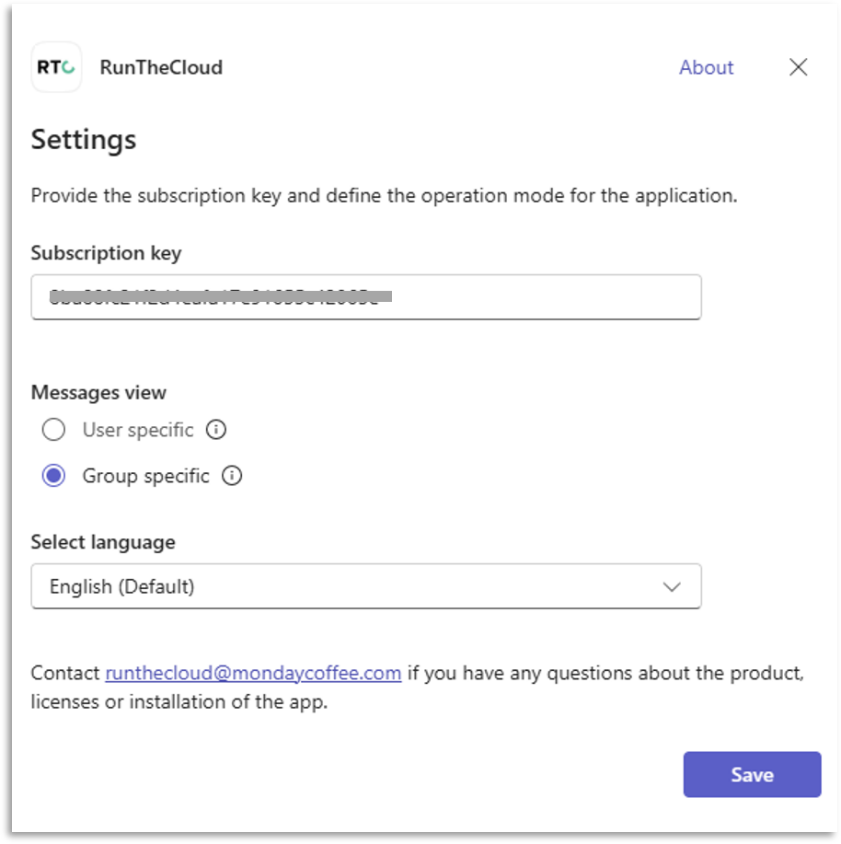
Enter the subscription key
Customers receive an individual subscription key for their company. The app validates requests against the customer tenant and subscription key. Requests without a valid subscription key, with a non-existing key, or with a key that does not belong to the initiating tenant are rejected. In that case, the app shows demo content.
Messages view: User-specific vs. group-specific mode
Select between the two message view modes. For more please see “Messages view setting: Group specific vs. user specific”
App language
You can choose between English (default) and German (automatically translated).
Permissions and security
App permissions
High-level application architecture
The Teams client loads the app code from a static web app hosted in the MondayCoffee tenant. Requests for data are routed through API Management and must contain a valid subscription key belonging to the initiating tenant. Base messages are loaded from the service, while customer-specific data such as message states is loaded separately. Custom views, comments, and tasks are stored in SharePoint lists in the customer’s tenant.
Delegated Graph permissions
The app requests delegated Microsoft Graph permissions, meaning access is security trimmed to the effective permissions of the signed-in user. Permissions support sign-in, user profile access, task creation, Teams and tab information, group and channel context, SharePoint list access, and related collaboration features.
SharePoint REST API permissions
The app uses SharePoint REST API permissions on behalf of the signed-in user to read and write items in SharePoint lists. These permissions support storing and retrieving customer-side collaboration data such as comments and custom views.
Admin review and approval of permissions
Administrators can review permissions in Entra ID under the RunTheCloudDashboard app registration and in the Teams Admin Center under the RunTheCloud app permissions. A Global Administrator can approve the requested permissions in either location.
User Permissions
The settings of the individual Teams workspace, in which the RunTheCloud app is inserted, determine the user's permissions. To work with the app, users need to be members of that workspace.